Text to Image
Text to Image Generator with Ghibliy AI
Write a prompt, choose a visual style, pick an aspect ratio, and generate a finished AI image online.
Discover More Features
Prompt-based generation
Use Text to Image Generator to move faster from raw image to polished output.
Multiple art styles
Choose focused settings that guide the AI toward the right result for your use case.
Aspect ratio controls
Download your completed image and find it again later in your private history.
Create images from ideas
Describe a subject, scene, mood, and lighting direction, then let Ghibliy turn the prompt into a downloadable image.
Ghibliy keeps the workflow simple: choose the page that matches your goal, open the connected tool, upload or describe your image, then generate a finished result with production settings already prepared.
Generate from TextChoose a style before generating
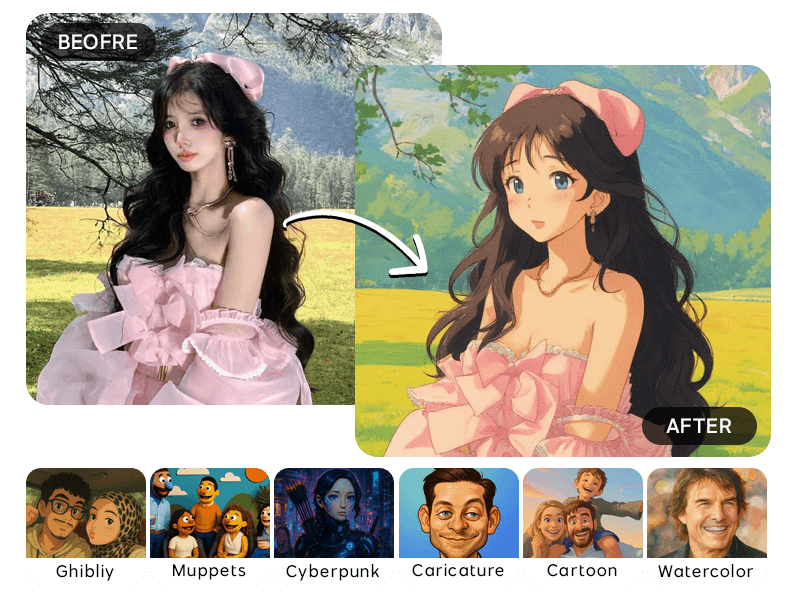
Style presets help guide the output toward Ghibli-inspired, anime, watercolor, cyberpunk, pixel art, sketch, cartoon, or realistic looks.
Start from the guide, open the matching tool, and create a polished image without rebuilding the same prompt and settings from scratch.
Try It NowHow to Use Text to Image Generator
Write prompt
Describe the image you want.
Choose style
Pick a visual direction and aspect ratio.
Generate image
Create and download the final output.
Ways You Can Use Text to Image Generator
Ghibliy tools are built for fast creative production, practical marketing workflows, and repeatable image generation without a complicated editor.
Concept art
Create a polished image for concept art with fewer manual design steps.
Social images
Create a polished image for social images with fewer manual design steps.
Blog visuals
Create a polished image for blog visuals with fewer manual design steps.
Creative prompts
Create a polished image for creative prompts with fewer manual design steps.
“Text to Image Generator helped me create cleaner images without opening a complicated editor.”
“The workflow is simple: upload, choose a preset, generate, and download. It fits my daily content process.”
“I like that the result is saved in history, so I can come back and download it again later.”
Why Pick Ghibliy?
Fast Creative Workflow
Move from idea or upload to finished image quickly, with tool presets built for common use cases.
Saved, Ready-to-Use Results
Download your finished images and revisit completed generations from your private history whenever you need another copy.
Easy to Repeat
Presets make it easier to create variations for campaigns, profiles, stores, listings, and social posts.
Questions About Text to Image Generator?
Can I choose a style?
Yes. The text-to-image tool includes multiple style presets and aspect ratios.
Are text-to-image outputs saved?
Yes. Completed generations are saved to your private image history.
What is a text to image generator?
A text to image generator creates a new image from a written prompt describing the subject, style, composition, lighting, and mood.
How do I write a good AI image prompt?
Describe the subject first, then add setting, style, lighting, camera angle, color mood, and any important details you want included.
Which image styles can I generate?
You can use presets such as Ghibli-inspired art, anime, watercolor, cartoon, cyberpunk, pixel art, sketch, caricature, and realistic styles where available.
Can I choose the aspect ratio?
Yes. Pick the ratio that matches your use case, such as square for general images, portrait for social posts, or landscape for banners.
Can I generate images for blog posts or ads?
Yes. Text-to-image generation is useful for blog visuals, ad concepts, social posts, moodboards, thumbnails, and creative campaigns.
How do I get more realistic results?
Use specific details about lighting, lens feel, background, materials, and composition, and avoid asking for too many unrelated elements at once.
Can I generate characters from text?
Yes. Describe the character appearance, outfit, expression, setting, and art style to guide the result.
Can I make variations of the same idea?
Yes. Keep the core prompt the same and adjust style, lighting, ratio, or small details to explore different directions.
Do I need to upload a photo?
No. Text-to-image starts from a written prompt. Use photo tools when you want to transform or preserve an existing image.
Can I use AI-generated images commercially?
You can use generated images for your own projects when your prompt and final use do not violate rights, brand rules, or platform policies.
Ready to Try Text to Image Generator?
Create AI images from text prompts with Ghibli-inspired, anime, watercolor, cartoon, cyberpunk, pixel art, sketch, and realistic styles.